AI Animation Video Creator: Transform Ideas Into Dynamic Visual Stories
An AI animation video creator can turn a rough idea, script, or brand narrative into an animated story that looks polished and purposeful. The best part is not just speed, it is momentum.
When your concept can become moving visuals quickly, you can test messages, iterate creative, and publish high-converting AI marketing videos that keep up with your marketing calendar.
Key Takeaways
Start with a clear story, then build scenes.
Consistency and pacing separate “okay” from “great.”
Human direction and polish still make the biggest difference.
AI Butterfly delivers on-brand animation without DIY chaos.
Why Brands Are Choosing AI Animation for Storytelling
Animation has always been a cheat code for clarity. You can show an abstract idea in seconds, visualize a process without filming, and make a product feel approachable. AI accelerates that advantage by making ideation and production faster, especially for content teams that need volume without sacrificing quality.
Faster Iteration Without Starting Over
Traditional animation changes can be expensive because edits ripple through the timeline. With AI-assisted workflows, you can regenerate scenes, swap style frames, or rewrite a section of narration without rebuilding the entire video.
More Creative Angles for the Same Message
Marketing rarely succeeds on the first draft. AI animation makes it easier to test multiple hooks, different metaphors, and alternate calls to action. That means you can create variations for different audiences without doubling production time.
A Better Fit for Explainers, Ads, and Social
AI animation video creator tools shine when your content needs to be clear and fast:
Animated explainers for products and services.
Short-form ad creatives for paid social.
Feature launch videos and internal updates.
Brand story vignettes with stylized visuals.
A Practical Workflow for Better Results With an AI Animation Video Creator

If you want the output to feel like a real story and not a random montage, use a workflow that prioritizes narrative structure first.
1) Start With a One-Sentence Story
Before you open any tool, write one sentence:
“We help busy teams publish scroll-stopping video content without the chaos.”
That sentence becomes the filter for every scene. If a visual does not support it, cut it.
2) Turn Your Script Into Scene Beats
Break your script into five to nine scene beats, each with:
What we see.
What we hear.
What the viewer should feel or understand.
A reliable text-to-video AI generation tool can speed up storyboard creation, but you still need human intent to keep the message tight.
3) Choose a Style That Matches the Brand
Pick one direction:
Clean motion graphics.
Illustrative 2D.
Cinematic AI visuals.
Collage, mixed media, or surreal.
Then lock your brand rules: colors, typography, logo placement, and voice tone.
4) Build a Consistency Kit
This is where most DIY efforts break down:
Character references or model sheets.
Style frames and prompt templates.
Reusable transitions and motion rules.
Voice and music guidelines.
Without a kit, your AI animation video creator will produce “close enough” visuals that do not feel like the same campaign.
5) Polish Like It Matters
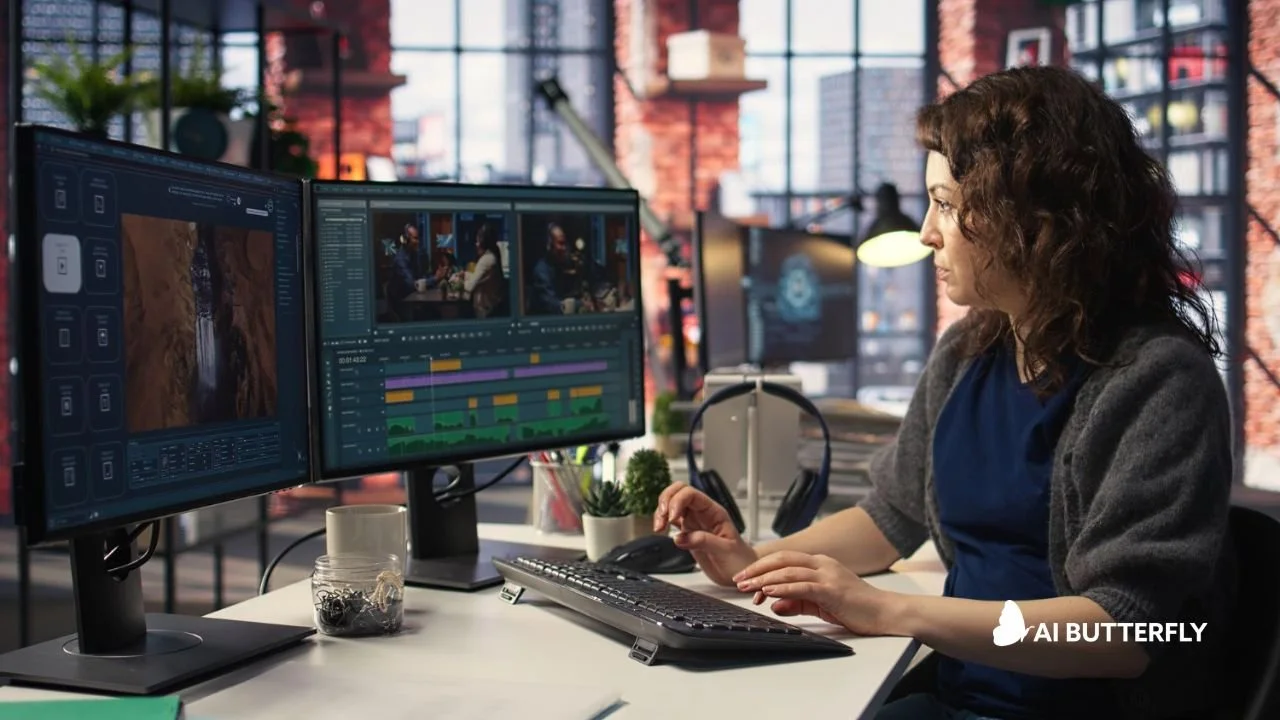
Video editing software timeline showing post-production polish, sound design, and motion graphics for an animated video.
The last 15 percent is what makes the video feel expensive:
Tight pacing and purposeful cuts.
Sound design that supports emotion.
Caption formatting and readability.
Clean logo integration and end cards.
AI can generate clips, but the finish is what makes viewers trust the brand.
Common Challenges With DIY AI Animation and How to Avoid Them
AI animation is powerful, but it is not magic. Output can still suffer from motion artifacts, mismatched scenes, or a lack of narrative cohesion without human direction.
1) Visual Inconsistency Across Scenes
Fix this by reusing references and prompts, and by keeping camera language consistent. Avoid generating every scene from scratch with completely new instructions.
2) Pacing That Feels Off
AI-generated scenes often default to “pretty but slow.” Marketing needs rhythm:
Faster cuts early.
Clear beat shifts.
A strong CTA moment.
3) Brand Voice That Gets Diluted
A tool can write a script, but it cannot protect your positioning. Keep your core message and proof points led by humans.
How AI Butterfly Helps You Go Beyond DIY AI Animation Tools
You can absolutely experiment with AI animation on your own. However, if you are creating content for a brand, the real challenge is not generating video. It is generating video that is on-brand, strategic, and production-ready.
AI Butterfly is not a tool. It is a team that blends AI video tools with real marketing know-how. We craft smart prompts, refine AI-generated visuals, and elevate everything with editing, sound, and design so the final result feels intentional and human-centered.
Strategy-first creative direction so the story lands
Expert prompting for consistent visuals and fewer retries
Editing, motion graphics, captions, and sound design that feel premium
A workflow built for marketing timelines, not experimental tinkering
If you want to see what that polish looks like in practice, explore our high-impact commercial work.
Frequently Asked Questions
What Is an AI Animation Video Creator?
An AI animation video creator is software or a service that turns scripts, prompts, images, or scene instructions into an animated video, often including features like storyboard generation, voiceover, captions, and editing tools.
Do I Need Animation Skills to Use an AI Animation Video Creator?
Usually, no. Many tools are designed for non-animators. That said, you will still get better results if you understand basic storytelling, pacing, and how to write clear scene prompts.
How Do I Keep Characters and Style Consistent Across Scenes?
Use a consistency kit: character references, style frames, repeatable prompt templates, and a locked set of brand rules. Without these, scenes can look like they came from different videos.
What Types of Videos Work Best With AI Animation?
AI animation works especially well for explainers, product demos, social ads, onboarding videos, and brand storytelling where you need clear visuals without filming.
How Can AI Butterfly Help Me Get Better Results Than DIY AI Tools?
AI Butterfly provides creative direction, expert prompting, and professional editing so your animation feels cohesive and on-brand. We handle the hard parts, including consistency, pacing, sound design, and polish. If you want answers to common questions about process, revisions, and involvement, check Our FAQ Guidance.
Final Words
An AI animation video creator can help you move faster, but your story still needs direction. When you combine a clear narrative, strong scene structure, and real post-production polish, you get animated content that does more than look good. It performs.

At AI Butterfly, we blend expert prompting with 15+ years of video production and marketing experience. We know how to guide AI models to produce content that actually feels on-brand, on-message, and visually compelling. Then we take it further, adding sound design, editing, and post-production polish so the final result doesn’t just look like AI…it looks like you.